

David EdgarA little about me

Hi, I’m David.

I lead IT support teams and build apps.

I like making technology easier to use—from helping people at work to building an app that solves an everyday problem. Here are a few things I’ve been working on.

Take a look around →

Selected work

A few apps and tools I’ve built to make everyday tasks a little easier.

ChatHarbor

A place to chat, compare answers, and work through ideas.

I built a native Mac app for comparing model responses and working through ideas without jumping between separate tools.

macOS · SwiftUI · SwiftData · Open source

ChatHarbor running on macOS, showing its welcome screen, Chat and Brainstorm navigation, and cloud and local model-provider options
ChatHarbor on macOS · Welcome screenOpen full-size screenshot →

Why I built it this way

I wanted ChatHarbor to feel at home on a Mac and give people a choice of cloud or local models. Behind the scenes, one shared interface connects them, so switching models doesn’t mean learning a different app.

Under the hood: Swift

Curious about the code? This is the interface the model providers share.

func chat(
    model: String,
    messages: [ChatMessage],
    parameters: ChatParameters,
    onToken: @escaping (String) -> Void
) async throws -> ChatResult

Read the provider interface →
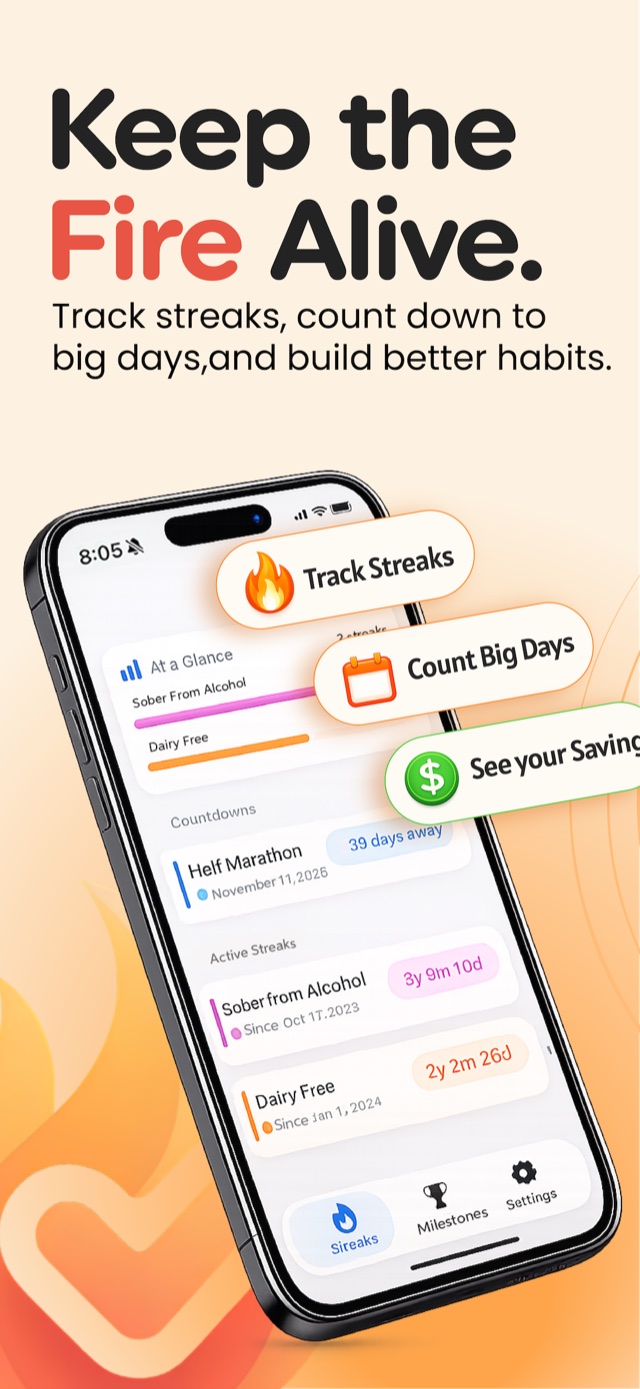
Stay Stoked promotional artwork showing its streak and countdown interface
Stay Stoked · App Store preview

Stay Stoked

Keep the things that matter in sight.

I built Stay Stoked to keep track of habits you’re sticking with and days you’re looking forward to—all in one iPhone app.

Progress to celebrate. Plans to look forward to.

A streak looks back at how far you’ve come. A countdown looks ahead to what’s next. Putting them together makes the app useful for both habits and big days.

iPhone · Streaks and countdowns

Tools for Mac admins

For fellow Mac admins: a couple of practical tools to help with the day-to-day work.

Admin Remediation

Manage local administrator access on Macs, with setup instructions to help you get started.

Explore the toolkit →

Mac Admin Toolkit

Scripts and Jamf extension attributes for automating Mac tasks and reporting device information.

Browse the scripts →

Found something useful?

Buy me a coffee

A little about me

David beside the 13.1 sign at the Richmond Half Marathon
Away from the keyboard: running and looking forward to the next race.
Follow along on Instagram

Helping people has always been the best part of IT.

I’ve worked in IT since 2006, when I began my degree at Old Dominion University. What started as a computer hobby became a career helping people use technology and keeping their computers running.

I’m the Manager of Technical Support Services at Christopher Newport University. I lead support teams and manage Apple devices with Jamf Pro, software that helps IT teams set up and maintain Macs.

Outside of work, I run, build apps, and share what I’ve learned with the Mac admin community at conferences like ACCS.

Sharing what works

In my ACCS 2026 talk, I walked through using Jamf App Catalog and App Installers to handle app packaging, versioning, and updates. The aim: less manual installer maintenance, with a setup other administrators can follow.

If you’re working through something similar, the slides and resources are here to help.

Jamf: Set It and Forget It

See you at Pink27

– · Bellagio · Las Vegas, NV

I’m attending Pink27, a conference for people who lead and improve IT services.

Going too? Email me if you’d like to meet for coffee and talk about the work.

Say hello

Working on something interesting, trying one of my apps, or untangling a Mac problem? I’m always happy to compare notes.

david.emerson.edgar@gmail.com